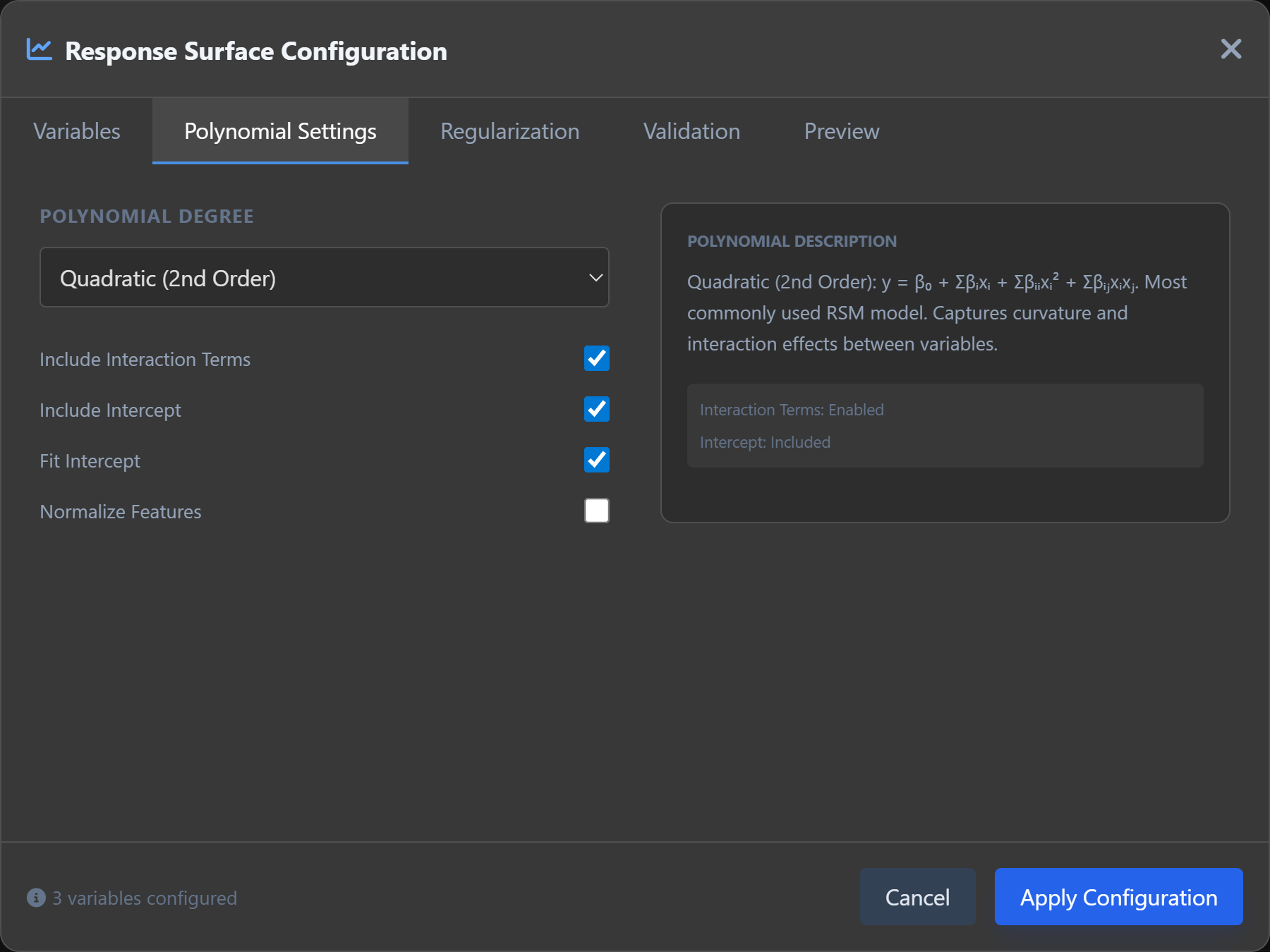
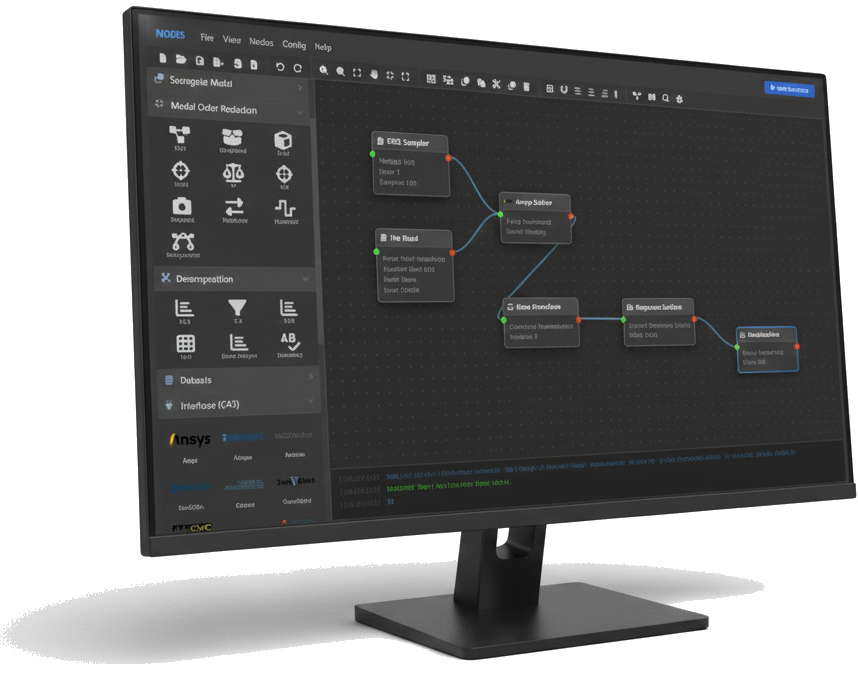
- Visual Workflow Canvas: A central workspace where users can drag, drop, and connect modular components to define their analytics pipeline.
- Intuitive Navigation: Clean and logically organized layout, with clear separation between the workflow area, algorithm library, and configuration panels.
- Real-Time Feedback: The interface provides immediate visual cues for connection validity, execution progress, and error detection.
- Customizable Workspace: Users can save, export, and share workflows, promoting collaboration and reproducibility across teams.
Nodes: The Modular Intelligence Platform for CAE Specialists
Nodes is a modular intelligence platform designed for CAE engineers, seamlessly integrating advanced data-driven algorithms with traditional physics-based simulation. It empowers engineers to build complex surrogate models, perform large-scale model reduction, and execute parametric optimizations— all in a no-code environment. Bridging the gap between AI and engineering simulation, Nodes makes advanced analytics accessible, efficient, and highly customizable.
Intuitive Interface: A No-Code, Node-RED Inspired Environment
The user interface of Nodes is built around a visual, drag-and-drop workflow designer, inspired by Node-RED. This design philosophy ensures that engineers can focus on solving problems without writing a single line of code.
Algorithms & Plugins: A Comprehensive Sidebar Library
Nodes features an extensible sidebar housing a rich collection of pre-built algorithms and plugins, curated to address the core needs of CAE specialists.
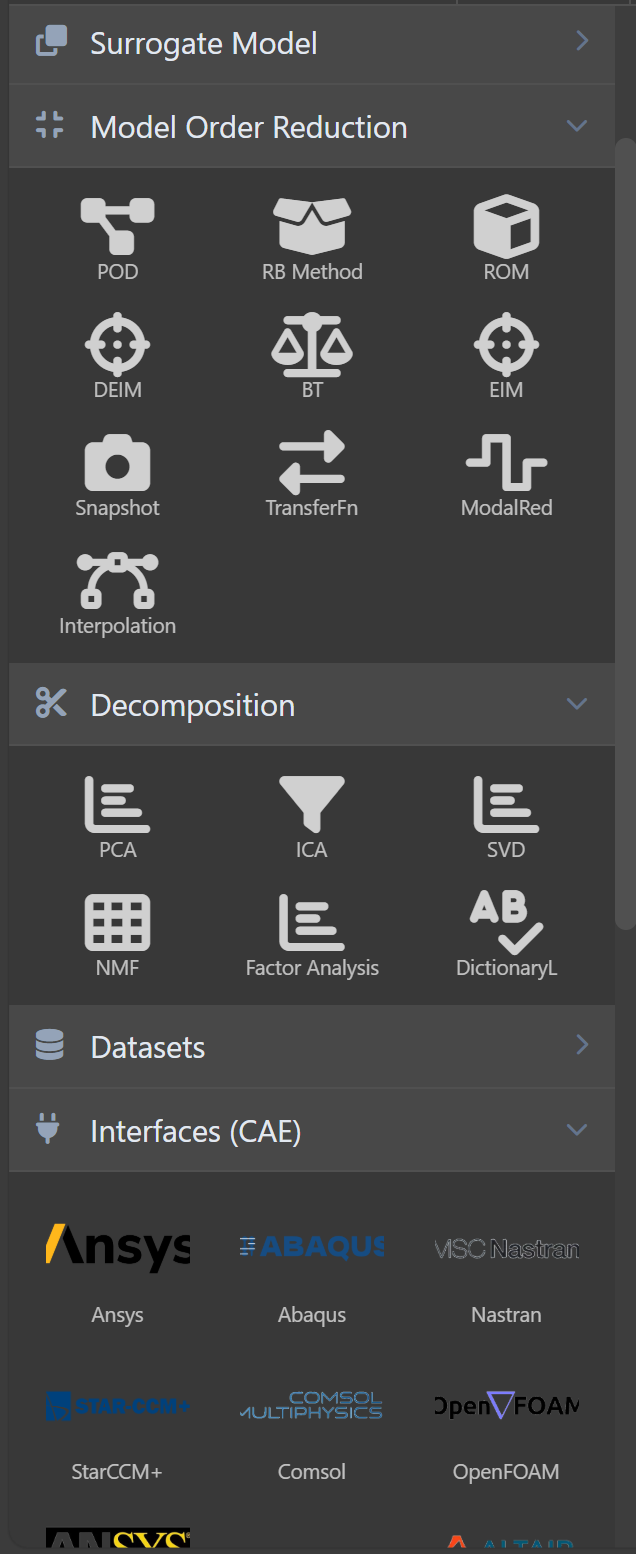
- Wide-Ranging Algorithm Sets: Includes modules for:
- Machine Learning: Regression, classification, clustering, and neural networks.
- Surrogate Modeling: Gaussian Processes, Polynomial Chaos Expansion, Radial Basis Functions, and more.
- Model Order Reduction: Proper Orthogonal Decomposition (POD), Reduced Basis Methods, and hyper-reduction techniques.
- Data Mining: Feature extraction, dimensionality reduction, outlier detection, and pattern recognition.
- Plugin Ecosystem: Supports custom plugins, allowing organizations to integrate proprietary or third-party algorithms.
- Seamless Integration: All algorithms are designed to work cohesively with CAE data formats (e.g., CSV, HDF5, finite element results) and CAE solvers (e.g., ANSYS, Abaqus, OpenFOAM, and more)
Algorithm Configuration Window: Fine-Tuned Control
Double-clicking any algorithm icon in the workflow opens a detailed configuration window, providing granular control over parameters and settings.
- Context-Aware Parameters: The configuration window displays only relevant parameters based on the selected algorithm, reducing complexity.
- Interactive Input Validation: Real-time validation of inputs with tooltips, recommended ranges, and descriptive documentation for each parameter.
- Preset Management: Users can save, load, and share parameter presets, ensuring consistency and best practices across projects.
- Live Previews: For certain algorithms (e.g., dimensionality reduction or clustering), a preview of results updates dynamically as parameters are adjusted.